
MI 3152(H) HW1.0 and HW2.0 Firmware update
For MI 3152(H) with Hardware version 1.0 or 2.0 the latest valid Firmware version is 2.13.44 (release date 23.03.2022) available as zip file “MI3152(2.13.44.f5ea5001).zip” (for MI 3152) and "MI3152H(2.13.44.f5ea5001).zip" (for MI 3152H) below.
MI3152(2.13.44.f5ea5001).zip MI3152H(2.13.44.f5ea5001).zip
Tester’s HW version info can be found in “About” menu located in “General Settings” of main menu.
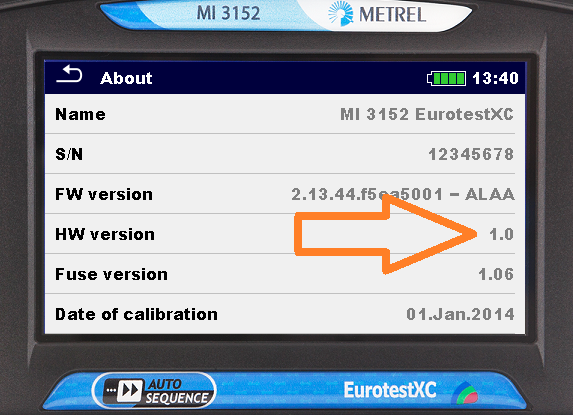
If the HW1.0 or HW2.0 version of MI 3152(H) is accidentally updating with FW version greater then version 2.13.44, the updating process will report an Error. In such case the update to FW version 2.13.44 should be done as follows below.
Tester’s batteries must be fully charged and charger must be disconnected from the tester. Do a HW reset by pressing “ON / OFF” key for 10 seconds.
Connect tester to PC via USB cable.
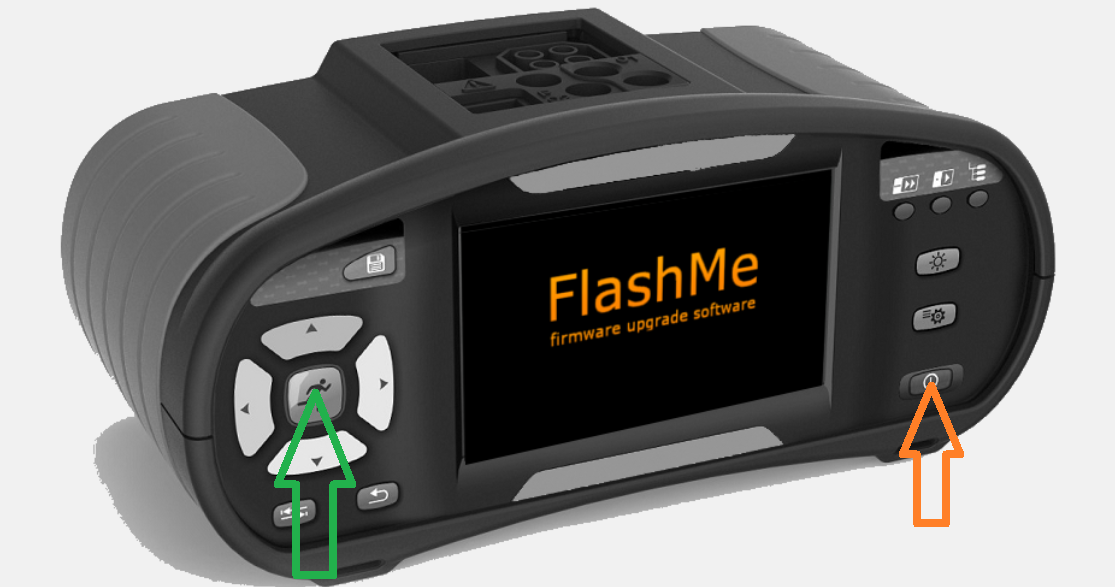
Initialize manual update by pressing “RUN” key and “ON / OFF” key simultaneously; FlashMe logo appears on display.
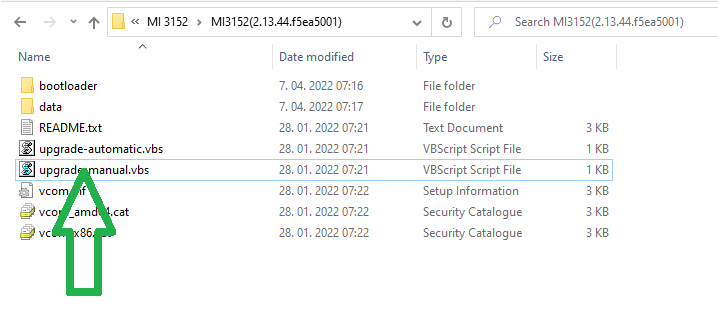
In unzipped FW version 2.13.44 double click on "upgrade-manual.vbs" file. This should start the FlashMe application.
In FlashMe application select the com port, to which the tester is connected to.
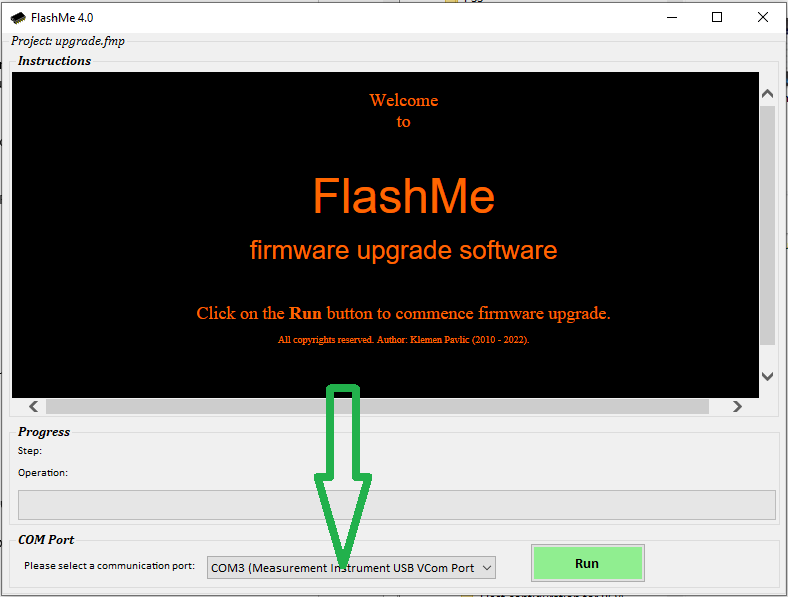
Click the “RUN” button and afterward click the “CONTINUE” button.
Wait until FlashMe signals the end of firmware update.